
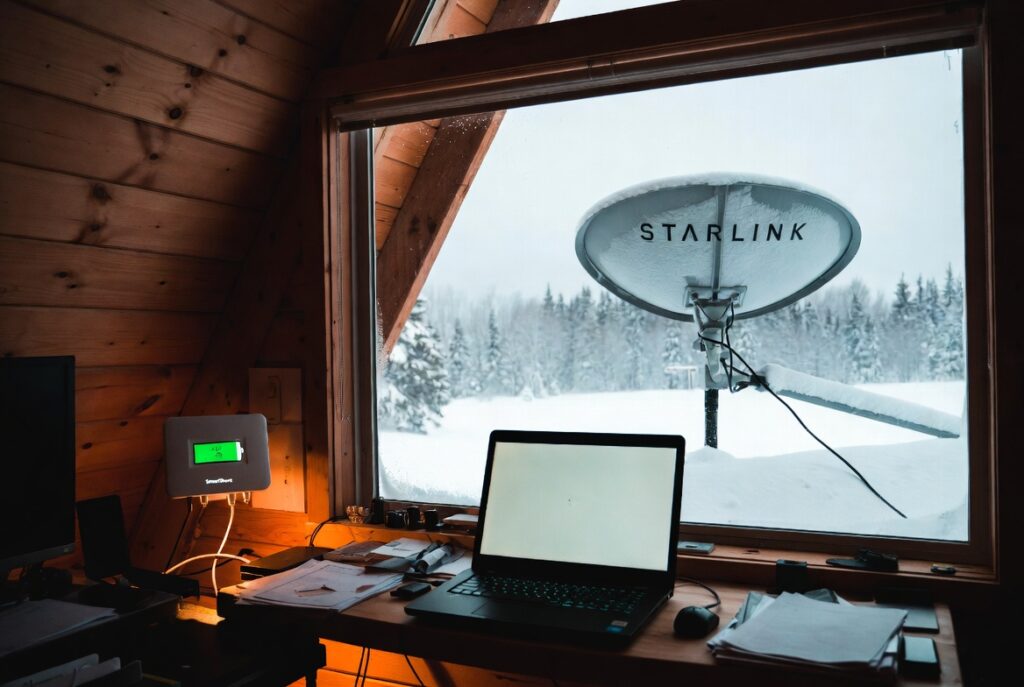
The remote solar ontario system that fails most reliably is not the one with the wrong inverter or the wrong panels but the one sized for a weekend cabin that gets repurposed as a remote work office, because a professional in Muskoka connected a laptop, an external monitor, and a Starlink dish to an existing 50Ah compact system and discovered within one workday that the bank was at 12 percent SoC by 4 PM. Not because the system was defective, but because the 1,320Wh daily remote work load exceeded the entire usable bank capacity in approximately 8.7 hours at the standard 12V LFP draw rate. The existing 50Ah bank held approximately 480Wh of usable capacity at 80 percent DoD.
He upgraded to the Tier 2 remote solar ontario specification: 200W array (two Renogy 100W panels), Victron MPPT 100/30, and a 100Ah Battle Born heated LFP bank. After the upgrade, the SmartShunt confirmed the bank held above 50 percent SoC through every workday, including days when the Starlink activated snow melt mode in Ontario January conditions and drew up to 100W instead of the standard 50W continuous draw. The Tier 2 system sustained the full remote office load through the first full Ontario winter work season without a single low-voltage cutoff event.
The remote solar ontario lesson from Muskoka is that Starlink changes the entire system specification. At approximately 1,200Wh per 24-hour period from the Starlink dish alone, the remote work load with Starlink exceeds the entire Tier 1 cabin specification and requires a minimum 100Ah bank to sustain overnight dish operation through a single Ontario gray streak day. A property owner in Haliburton County confirmed the alternative: a laptop-and-hotspot-only remote solar ontario setup on a 100W panel and 50Ah LFP bank survived a 3-day November gray streak with 68 percent remaining on day 3. The difference between the two setups is the Starlink dish. See our Ontario solar sizing guide before any remote solar ontario specification.
The remote solar ontario daily load: laptop, hotspot, monitor, and the Starlink variable
| Load | Wattage | Daily hours | Daily Wh |
|---|---|---|---|
| Laptop | 40 to 60W | 8 hours | 320 to 480Wh |
| Mobile hotspot | 10W | 10 hours | 100Wh |
| External monitor | 25W | 8 hours | 200Wh |
| Phone charging | 20W | 2 hours | 40Wh |
| Total laptop-only | 460Wh | ||
| Total full office (no Starlink) | 820Wh | ||
| Starlink dish (standard) | 50W | 24 hours | 1,200Wh |
| Starlink snow melt mode (Ontario winter) | up to 120W | 24 hours | up to 2,880Wh |
| Total full office + Starlink | 2,020Wh |
The Ontario cabin work daily load has one defining characteristic: the Starlink dish never stops drawing. A laptop draws 40 to 60W for 8 work hours and then stops. The hotspot draws 10W for 10 hours and then stops. The Starlink dish draws approximately 50W around the clock, adding approximately 1,200Wh to the daily system load regardless of whether anyone is working. At full Ontario January irradiance of 1.5 PSH, a 100W panel harvests approximately 150Wh per clear day , covering approximately 12 percent of the Starlink dish’s daily draw. The dish is the system specification, not the laptop.
Starlink’s snow melt mode compounds the remote solar ontario load in the worst possible weather conditions. The dish activates its built-in heating element during Ontario freezing rain and heavy snow events, drawing up to 100 to 120W instead of the standard 50W. This is the weather when Ontario solar harvest is at its lowest , near zero during active ice storm conditions. A remote worker in Muskoka relying on Starlink for a client call during a January storm faces a simultaneous demand spike and harvest collapse. The 100Ah Tier 2 bank with the SmartShunt display provides the real-time reserve reading that makes the load management decision possible before the bank reaches critical depletion.
The Ontario remote work spec: 100W for laptop-only, 200W for Starlink
| Setup | Laptop + hotspot (460Wh daily) | Full office + Starlink (2,020Wh daily) |
|---|---|---|
| Array | 1 x Renogy 100W | 2 x Renogy 100W (200W total) |
| Charge controller | Victron MPPT 100/30 | Victron MPPT 100/30 |
| Battery bank | 50Ah LFP (or 100Ah for more buffer) | 100Ah Battle Born heated LFP |
| Monitor | Victron SmartShunt | Victron SmartShunt |
| Gray streak autonomy | Approximately 1.5 days (panel contributing) | Less than 0.5 days; generator required |
| Heated LFP required? | October through May only | Always , Starlink draws overnight in sub-zero |
The laptop-and-hotspot-only cabin work specification is achievable at Tier 1. A single Renogy 100W panel, MPPT 100/30, and 50Ah LFP bank provides approximately 1.5 days of gray streak autonomy at the 460Wh daily laptop-only load when the panel contributes approximately 150Wh on clear-sky periods. The Haliburton County result confirms this specification works through a 3-day November gray streak at the laptop-only load. A 100Ah bank instead of 50Ah doubles the gray streak buffer to approximately 3 days unassisted at laptop-only loads.
The full Starlink-equipped office requires the Tier 2 specification and a generator backup plan. At 2,020Wh daily load and 300Wh clear-day panel contribution from the 200W array, the net daily bank draw is approximately 1,720Wh. The 960Wh usable 100Ah bank provides approximately half a day of unassisted autonomy , meaning any Ontario gray streak at this load level requires a generator on day 1. The SmartShunt display tells the remote worker exactly how many hours of remaining work capacity the bank holds at any moment during a storm. See our Ontario battery generator guide for the Tier 2 hybrid backup specification.
The remote solar ontario gray streak test: laptop-only versus full office with Starlink
A property owner in Haliburton County ran a laptop-and-hotspot-only remote work setup through a 3-day November gray streak. His system was a 100W Renogy panel, 50Ah LFP bank, MPPT 100/30, and SmartShunt. The daily remote work load averaged approximately 360Wh , lower than the 460Wh theoretical maximum because video calls averaged approximately 30W laptop draw rather than the 60W peak rating. The panel contributed approximately 25Wh per day during the overcast period. Net daily bank draw was approximately 335Wh.
The SmartShunt showed the bank at 68 percent on the morning of day 3 , confirming that the 50Ah bank had sustained two and a half days of full work schedule through the gray streak and still held more than two-thirds of its charge. The work week was completed without the system ever reaching the low-voltage cutoff threshold. The critical factor was the absence of a Starlink dish or external monitor: the laptop-only load left enough bank reserve to carry through the gray streak days when the panel contributed near zero. The SmartShunt time-to-empty display confirmed comfortable reserve through every day of the event.
The contrast between these two Ontario setups confirms the sizing math. At 1,200Wh continuous Starlink draw, the 50Ah bank would have been at critical depletion in approximately 9.6 hours at Starlink-only load , before the first work call of the day. Adding the laptop and monitor load to the Starlink draw reduces that to approximately 8.7 hours total, which is why the Muskoka bank was at 12 percent by 4 PM on the first workday. Both results together confirm the single rule of Ontario cabin work system design: size for the Starlink, not the laptop. See our Ontario winter solar guide for the full gray streak protocol.
Why heated LFP is mandatory for any Ontario winter remote work setup
The Monday morning problem for Ontario remote workers is a standard LFP BMS event. A property owner arrives at a cold cabin on a Monday morning with interior temperatures at -10 degrees C after a weekend away. The panels are producing power at sunrise , but a standard LFP bank will not accept any charging current until the cells warm above 0 degrees C by ambient conduction. In a cabin that has been at -10 degrees C for two days, this warming takes 2 to 4 hours. The remote worker is offline for the first portion of the work week , not from a system failure, but from a specification failure.
The Battle Born heated LFP self-heating element activates at approximately 2 degrees C cell temperature, keeping the cells above freezing throughout any Ontario cold-soak regardless of cabin ambient temperature. On a Monday morning at -10 degrees C cabin interior, the heated LFP bank begins accepting charge from the panels before the cabin has warmed above 5 degrees C. The SmartShunt confirms charging current from the array before the cabin heating has run for more than a few minutes. The Muskoka result confirmed this: even during Starlink snow melt mode events in Ontario January, the 100Ah heated LFP bank accepted charge throughout the cold nights without a single BMS block event.
Pro Tip: Before your first remote work week at an Ontario cabin, log into the SmartShunt display and record the time-to-empty reading at full charge with your full work setup running. That number is your gray streak budget. If the SmartShunt shows 18 hours of remaining autonomy at the start of a Monday workday, you know exactly when to start the generator , not when the bank hits critical, but well before it. Remote work depends on professional uptime. The SmartShunt turns battery management from guesswork into a scheduled decision.
NEC and CEC: Ontario permit requirements for remote work solar installations
NEC 690 governs permanently wired Ontario off-grid work installations. Any permanently mounted array with a wired charge controller and battery bank is a permanent electrical installation subject to NEC 690 requirements. DC conductors must be sized for 125 percent of maximum continuous current, the Class T fuse must be within 18 inches of the battery positive terminal per NEC 690.9, and the MPPT 100/30 must be rated for the cold Voc at Ontario January temperatures , STC Voc multiplied by 1.08 at -10 degrees C. Contact the NFPA at nfpa.org for current NEC 690 requirements.
CEC Section 64 governs Ontario electrical installations. A permanently wired remote work solar installation requires an ESA permit before installation begins. Portable setups connecting through existing charge ports or standard outlets do not require an ESA permit. For any Ontario remote worker building a permanent cabin solar system to support professional work, obtain the ESA permit before installation begins. Contact the Electrical Safety Authority Ontario at esasafe.com before beginning any permanently wired Ontario remote work solar installation.
The remote solar ontario verdict: laptop-only on Tier 1, Starlink on Tier 2, generator for gray streaks
- Ontario remote worker using laptop and hotspot only , no external monitor, no Starlink: the Tier 1 specification is correct and the Haliburton result confirms it works through Ontario gray streaks. One Renogy 100W panel, MPPT 100/30, and 50Ah LFP bank (or 100Ah for a 3-day gray streak buffer with comfortable reserve) plus the SmartShunt for time-to-empty monitoring. The Haliburton result: 3-day November gray streak, 68 percent remaining on day 3 morning, work week completed without hitting low-voltage cutoff. See our Ontario cabin solar guide for the full Tier 1 specification.
- Ontario remote worker with an external monitor and Starlink: the Tier 2 specification is mandatory and a generator backup plan is required for any Ontario gray streak. Two Renogy 100W panels, MPPT 100/30, 100Ah Battle Born heated LFP bank, SmartShunt. At 2,020Wh daily load, the 100Ah bank provides approximately half a day of unassisted autonomy , the SmartShunt display tells you the remaining hours and the generator start decision is made from data, not from anxiety. The Muskoka result confirmed the Tier 2 spec handles Ontario winter work seasons including Starlink snow melt mode without a single low-voltage cutoff.
- Ontario remote worker whose cabin is unheated overnight from October through May: the Battle Born heated LFP is mandatory at any specification level. A standard LFP BMS blocking charging at 0 degrees C on a Monday morning at -10 degrees C cabin interior means the panels are producing power the bank cannot accept. The heated LFP self-heats at 2 degrees C and begins accepting charge before the cabin has warmed. For a professional whose reputation depends on Monday morning availability, a $200 to $300 premium for heated LFP chemistry is the cheapest professional reliability investment in the entire remote solar ontario specification.
Frequently Asked Questions
Q: How many solar panels do I need to work remotely from an Ontario cabin?
A: One 100W Renogy panel is correct for a laptop-and-hotspot-only remote solar ontario setup drawing approximately 460Wh daily. The Haliburton result confirms this specification survives a 3-day November gray streak with 68 percent remaining. Two 100W panels (200W total) are required for any setup that includes an external monitor and Starlink, where the daily load reaches approximately 2,020Wh. At that load level, the 200W array contributes approximately 300Wh on a clear January day , covering approximately 15 percent of the daily draw , and a generator backup plan is required for any Ontario gray streak beyond 1 day. Size for the Starlink dish load, not the laptop load.
Q: Can I run Starlink from a 100W solar panel system in Ontario?
A: No. The Starlink Gen 3 dish draws approximately 50W continuously, adding approximately 1,200Wh over 24 hours. A 100W panel at Ontario January irradiance of 1.5 PSH produces approximately 150Wh on a clear day , covering approximately 12 percent of the Starlink dish’s daily draw alone, before any work loads are added. A 50Ah bank paired with a 100W panel depletes to critical depletion in approximately 9.6 hours at Starlink-only load. Adding a laptop and monitor reduces that to approximately 8.7 hours. The minimum specification for a Starlink-equipped remote solar ontario setup is a 200W array, 100Ah heated LFP bank, and a generator backup plan for Ontario gray streaks.
Q: Why does my solar battery stop charging on cold Ontario mornings?
A: A standard LFP battery BMS blocks all charging current when the cell temperature drops to 0 degrees C. In an unheated Ontario cabin after a cold weekend, the interior temperature may be -10 to -15 degrees C on Monday morning , well below the 0 degrees C charge threshold. The panels may be producing full power at sunrise, but the bank cannot accept any of it until the cells warm above 0 degrees C by ambient conduction from the cabin heating. This process takes 2 to 4 hours.
The Battle Born heated LFP solves this: the self-heating element activates at 2 degrees C cell temperature, keeping the cells above the charge threshold through any Ontario cold-soak. For any Ontario remote solar ontario worker whose cabin drops below 0 degrees C overnight, heated LFP is not optional.
This build is engineered within the 48V DC Safety Ceiling. Diagnostic logic is based on 20+ years of technical service experience. All structural and electrical installations must be verified by a Licensed Professional and comply with your Local AHJ. See our legal and safety disclosure for full scope.
About the Author
Robert Bertrand spent 20 years as a service advisor in the automotive industry (Lexus and Nissan), where precision diagnostics, wiring integrity, and documentation standards were non-negotiable. He brings that same technical discipline to GridFree Guide, where he researches, tests, and documents off-grid solar systems for Ontario conditions. Based in Rockwood, Ontario, every article is built on verified specifications, manufacturer data, and the real-world climate constraints of Canadian off-grid living.
As an Amazon Associate I earn from qualifying purchases. This site also contains affiliate links to other products and services. GridFree Guide earns a small commission at no extra cost to you.