
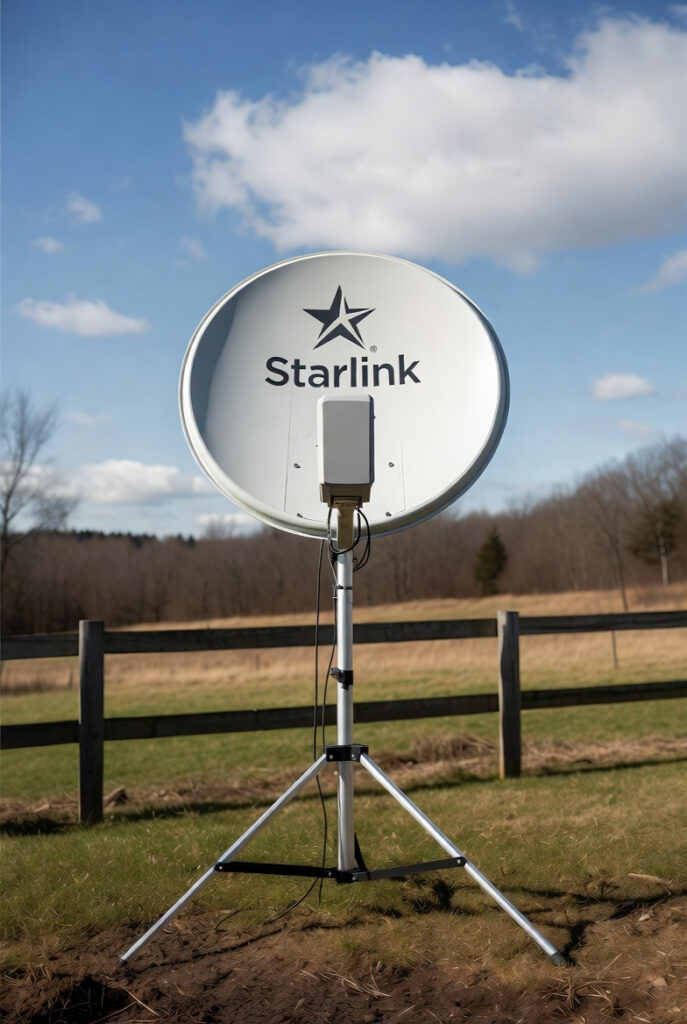
Off-grid Starlink setup done wrong is a slow battery drain that nobody notices until the system stops working at 2 AM. I diagnosed a Starlink installation on a Rockwood property where the client was losing approximately 30% more battery capacity overnight than the load calculation predicted. The Starlink Gen 3 dish and router were running through the 3,000W Victron inverter. The inverter was on 24 hours per day to keep the Starlink live. The Starlink itself was drawing 85W average. The inverter idle draw was adding 55W. Total communications overhead: 140W continuous, which is 3,360Wh per day. The load calculation had accounted for 85W from the Starlink. It had not accounted for the 55W the inverter was burning to deliver those 85W. The fix was a 48V DC-to-DC POE injector that powers the Starlink dish directly from the battery bank. Total communications overhead after the fix: 85W. The inverter was turned off at night. The battery drain anomaly disappeared. The Victron SmartShunt was the tool that confirmed the discrepancy between the expected 85W and the measured 140W draw on the communications circuit. For the full inverter idle draw explanation that covers why the overhead exists and how to identify it, the idle draw guide covers the mechanism.
Why Off-Grid Starlink Setup Requires a DC Bypass, Not an Inverter
The standard AC power path for Starlink is inefficient. Battery to inverter at 15 to 20% conversion loss plus 50 to 100W idle, to AC outlet, to Starlink power brick converting AC back to 48V DC with additional loss. Total overhead: 140W to power an 85W device. The DC bypass path runs battery to 48V POE injector at under 3% conversion loss with no idle draw, to the Starlink dish. Total overhead: 87W to power an 85W device.
| Power Path | Device Draw | Total with Overhead |
|---|---|---|
| AC inverter path | 85W (Starlink) | 140W (includes 55W inverter idle) |
| DC POE injector path | 85W (Starlink) | 87W (under 3% conversion loss only) |
| Daily difference | 55W saved | 1,272Wh saved per 24 hours |
The efficiency difference over 24 hours: the AC path consumes 3,360Wh. The DC path consumes 2,088Wh. Annual difference is 467kWh. On a 15kWh battery bank, the AC path consumes 22% of total capacity per day just for communications. For the pure sine wave inverter context that explains why the inverter cannot eliminate its idle draw even under light load, the inverter guide covers the standby loss mechanism.
The Off-Grid Starlink Setup Standard: POE Injector, Snow Melt and Surge Protection
A 48V POE injector accepts 48V DC input from the battery bank and injects power onto the Ethernet cable that connects to the Starlink dish. The dish receives both data and power through the single Ethernet cable as designed. The AC power brick is bypassed entirely. The specific requirement for Starlink Gen 3 is a dish operating on 48V DC nominal. Verify the power brick output voltage label before purchasing a POE injector earlier Starlink generations may use different voltages. The POE injector must be rated for the dish’s peak power draw, which is 150 to 175W during snow melt mode. A 48V POE injector rated for 30W continuous will fail when the snow melt heater activates. Specify a minimum 200W continuous rating to handle all operating modes. The Cerbo GX monitoring hub displays the communications circuit load in real time via the VRM portal, confirming the POE injector is within its rated operating range at all times. For the full Starlink off-grid power guide that covers the Gen 3 power requirements and DC conversion options in detail, the Starlink guide covers the hardware specifics.
Snow Melt Override: The Off-Grid Starlink Setup Winter Strategy
I keep the Starlink dish on manual snow melt at our place in Rockwood from November through March. The dish has a built-in heater that activates automatically when it detects snow accumulation. In automatic mode during a heavy Ontario snowfall the heater runs continuously and the dish power consumption climbs from the standard 85W to 150 to 175W. Over a 12-hour Ontario winter night that is an additional 780 to 1,080Wh drawn from the battery bank just to keep the dish clear. I clear the dish manually with a soft brush when it accumulates enough to affect performance. The manual clear takes 30 seconds. The energy saving is 780 to 1,080Wh per overnight snowfall event. In a January with six snowfall events that is 4,680 to 6,480Wh saved nearly half a day of full-system production returned to the bank.
To set manual snow melt: Starlink app → Settings → Advanced → Snow Melt → Manual. The trade-off is that manual mode requires the owner to check the dish and clear it when accumulation affects signal quality. In Ontario winter this means a morning check after overnight snowfall. For unoccupied properties or remote cabins, automatic mode may be preferable. The additional power draw is the correct trade-off against a dish that loses signal for days under heavy accumulation. For the cold climate solar production standard that determines how the snow melt load affects the winter energy budget, the cold climate guide covers the Ontario-specific derate factors.
Lightning Protection: The Ethernet Surge Standard for Off-Grid Starlink
The Starlink dish is a 24-inch parabolic antenna mounted at the highest point of the property. In Ontario’s summer storm season it is directly exposed to nearby lightning strikes and induced voltage surges through the Ethernet cable that runs to the router. A lightning strike within 100 metres of the dish can induce thousands of volts on the Ethernet cable. An Ethernet surge protector installed where the cable enters the building limits the induced voltage to a level the router and network equipment can survive. For the full lightning arrestor and surge protection installation standard that covers the grounding and bonding requirements that make surge protection effective, the lightning guide covers every detail. A surge protector without a proper ground bond is not effective protection. It simply provides a lower-impedance path for the surge if the ground bond is missing.
GMRS and Ham Radio: The Analog Backup for Off-Grid Starlink Setup Failures
When Starlink goes offline satellite service outage, dish damage, power system fault the property has no internet and no communication link to the outside. A GMRS or amateur radio base station on a dedicated 12V DC circuit provides voice communication that does not depend on internet infrastructure. In Canada, an Amateur Radio licence (RAC Basic qualification) covers 2m and 70cm VHF/UHF operation. A 2m/70cm FM transceiver as a base station draws 5 to 15W on receive and 30 to 50W during transmit at 50W output. Wired to a dedicated fuse block circuit with a proper ground plane antenna at rooftop height, the radio reaches repeater networks that extend range across Wellington County and beyond. In Canada the Amateur Radio licence covers the same frequency ranges as US GMRS with a straightforward online exam. For the full system sizing hub that covers how the radio’s DC load fits into the total power budget, the hub covers the load calculation foundation.
NEC and CEC: What the Codes Say About Off-Grid Communications Installations
NEC Article 800 covers communications circuits and requires that communications wiring entering a building from outside be provided with a primary protector at the building entrance. NEC 800.90 specifically requires that listed surge protectors be installed on all communications circuits exposed to lightning or power surges from outside the building. A Starlink Ethernet cable running from an exterior dish to an interior router is subject to NEC 800.90 and requires a listed Ethernet surge protector at the building entrance. NEC 800.100 requires that the surge protector grounding conductor be bonded to the building grounding electrode system, not simply connected to a separate ground rod.
CEC Section 60 covers communications and signal circuits and requires that exterior communications cables entering a building be protected against lightning and electrical surges at the point of entry. CEC Rule 60-300 requires that surge protection equipment be installed on communications circuits entering from outside and that the protector bonding conductor be connected to the building’s grounding electrode conductor or grounding electrode. In Ontario, the Starlink dish mounting and cable run are not subject to ESA permit requirements as communications wiring, but the surge protector bonding to the grounding electrode system is part of the building’s electrical installation and must be completed to code. An unbonded surge protector provides no effective protection. The energy must have a path to ground.
Pro Tip: Point the Starlink app at your dish and check the power draw in real time before and after switching to a 48V POE injector. The before reading will include the inverter overhead in the total system draw on the SmartShunt. The after reading will show only the dish draw. The difference is the inverter you no longer need to run overnight.
The Verdict
Off-grid Starlink setup built to the DC-native standard reduces daily communications overhead from 3,360Wh to under 2,100Wh and keeps the battery bank solvent through Ontario winters.
- Install a 48V POE injector rated for 200W minimum and bypass the AC inverter from the Starlink circuit. The inverter idle draw is costing 50 to 100W every hour the communications gear is running.
- Set snow melt to manual in the Starlink app from November through March. A 30-second brush clear is worth 780 to 1,080Wh per overnight snowfall.
- Install an Ethernet surge protector bonded to the building grounding electrode at the point where the Starlink cable enters the building. The dish is a lightning target and the router is at the end of the wire.
- Add a GMRS or ham radio base station on a dedicated 12V DC fuse block circuit. When the satellite goes down, the radio goes up.
In the shop, we do not let a surge fry the ECU. In the Fortress, we do not let a summer storm fry a $600 dish.
This post contains affiliate links. If you purchase through our links, we may earn a small commission at no extra cost to you.
Questions? Drop them below.
About the Author
Robert Bertrand spent 20 years as a service advisor in the automotive industry (Lexus and Nissan), where precision diagnostics, wiring integrity, and documentation standards were non-negotiable. He brings that same technical discipline to GridFree Guide, where he researches, tests, and documents off-grid solar systems for Ontario conditions. Based in Rockwood, Ontario, every article is built on verified specifications, manufacturer data, and the real-world climate constraints of Canadian off-grid living.
As an Amazon Associate I earn from qualifying purchases. This site also contains affiliate links to other products and services. GridFree Guide earns a small commission at no extra cost to you.