
Inverter terminal torque is not a preference it is the difference between a commissioned system and a melted terminal block. I’ve seen the end result on the service drive: a battery cable that had been hand-tightened after a swap, running loose for six months, heating up every time the engine cranked, until the resistance built enough to char the cable jacket and pit the terminal. The owner called it a “bad cable.” It was a loose bolt. In your off-grid Fortress the stakes are higher a 48V lithium bank pushing 200A through a loose M8 bolt does not give you a warning light. It gives you heat. Then smoke. Then a decision you do not want to make at 2am. Before any of this becomes relevant, make sure you understand how much solar power your system actually needs because a properly sized system pushing full current through an under-torqued terminal is the exact failure mode this article is about.
Why Inverter Terminal Torque Failures Are Self-Worsening
A loose terminal connection at a high-current DC junction is not a static problem. It is a thermal feedback loop. Here is the cycle: the loose bolt creates resistance at the contact face. Resistance under current creates heat P = I²R, same as line loss, applied to a single contact point. The heat causes the metal to expand. Under heat the bolt feels tighter. The system runs. The metal cools. Contraction. The bolt is now fractionally looser than before. The next load cycle starts the loop again. Each cycle the contact resistance increases slightly. Each cycle the peak temperature at that terminal climbs. Left unchecked this cycle ends in one of three places: a melted terminal block, a tripped breaker from a sustained high-resistance fault, or a fire in the wiring cabinet.
This is why inverter terminal torque matters before commissioning not after the first thermal cycle has already begun degrading the connection. The busbar layout and heat dissipation standard addresses heat management at the equipment room level. Terminal torque addresses heat at the connection level. Both are required.
The Inverter Terminal Torque Specification: Where to Find It and What It Means
Every Victron inverter ships with a torque specification table in the installation manual. For the Victron MultiPlus-II the DC terminal torque specification is 12 Nm (106 inch-pounds) for M8 bolts. That is the number. Not “snug.” Not “firm.” 12 Nm.
I torqued a client’s MultiPlus-II terminals outside Rockwood last spring. They had installed the inverter themselves competent, careful, hand-tightened every terminal and called it done. I put a calibrated inch-pound torque wrench on the first M8 bolt and it clicked at roughly 35 inch-pounds. The Victron spec is 106 inch-pounds. The bolt was at 33% of specification. The second DC terminal was similar. Both input terminals on the AC side were under-torqued as well. None of them were loose in the hand-tight sense they all felt solid. None of them were torqued. After bringing each terminal to spec I drew a witness mark across every bolt head and terminal face with a paint pen a straight line, 10 seconds per bolt, visible at a glance from across the room. The client had never seen a witness mark before that visit. They have checked every bolt on every monthly walk-around since.
The spec exists in both directions. Over-torquing is a real failure mode on inverter terminals. The terminal blocks in the MultiPlus-II are brass soft enough to strip under excessive force. A stripped terminal block on a $3,000 inverter is not a warranty repair if you caused it. Tighten to spec. Stop at the click. Do not give it a little extra.
The Witness Mark: The Master Tech Inspection Standard
The witness mark is not optional. It is a professional inspection standard that takes 10 seconds per bolt and eliminates guesswork on every future walk-around.
After torquing each terminal to specification: take a paint pen any colour, white or yellow for visibility against dark terminal blocks and draw a straight line from the bolt head across onto the terminal face. One line. The bolt head gets half the line. The terminal face gets the other half. If the bolt rotates loosening or tightening the line breaks. A broken witness mark at a glance during your monthly inspection means that terminal gets re-torqued before that session ends.
The same protocol applies to every high-current terminal in the system not just the inverter. The Victron SmartShunt 500A terminals carry the full DC current of your battery bank. The shunt specification is 14 Nm for M8 terminals. Torque them. Mark them. Check the marks. The crimping standard governs lug integrity at the cable end terminal torque governs connection integrity at the equipment end. Both sides of every joint require the same standard.
For the full thermal inspection protocol thermal camera, temperature trending, and what a hot terminal looks like in infrared before it fails see the thermal imaging guide.
The Torque Wrench: What You Need and What It Costs
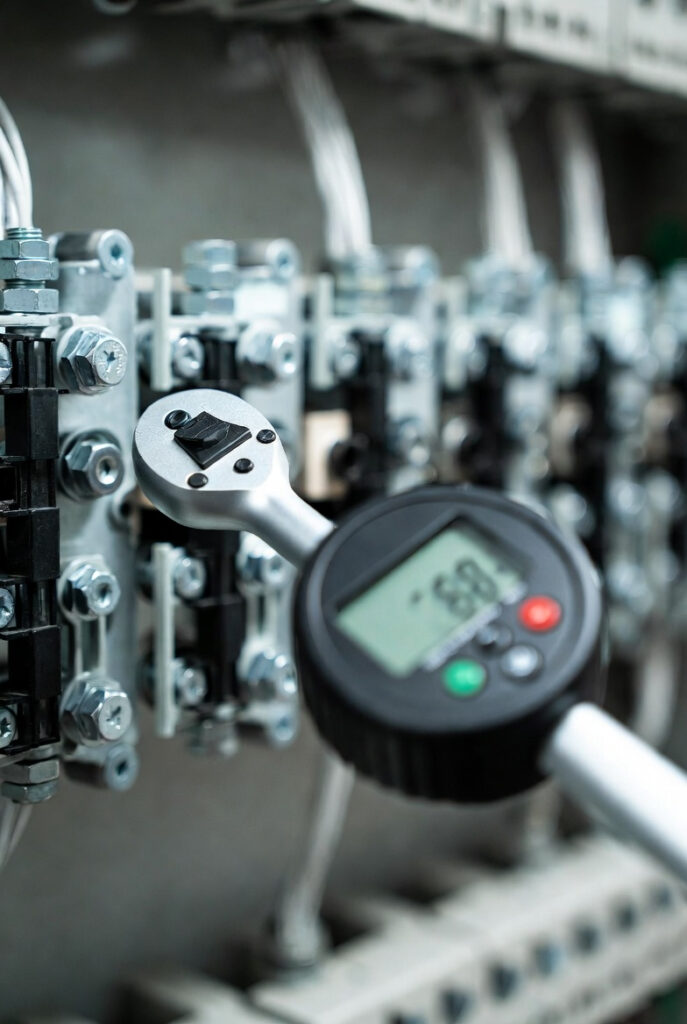
A calibrated inch-pound torque wrench with a range covering 20-250 inch-pounds covers every terminal in a standard off-grid installation. They cost $30-$50 at any tool supplier. This is a one-time purchase that protects a $10,000-$30,000 system. The math does not require explanation.
The wrench must be calibrated. A beam-type torque wrench that has never been calibrated is not a calibrated torque wrench it is a guess with a handle. A click-type torque wrench from a reputable tool supplier, stored at its lowest torque setting when not in use, is the standard. Set it to the specified torque. Tighten until it clicks. Stop.
For someone commissioning a system today without a torque wrench: the minimum bridge standard is snug plus a quarter turn on M8 terminals. This is not the professional standard. It is not what NEC 110.14(D) envisions when it mandates calibrated torque tools where torque is specified. It is a temporary measure that requires a proper torque check at the first opportunity. Do not commission a permanent installation and leave it there. The busbar standard applies the same logic to your busbar connections every joint in the system has a spec and every spec exists for the same reason.
NEC and CEC: What the Electrical Codes Actually Say
NEC 110.14(D) was added to the National Electrical Code to address exactly this failure mode. It requires that electrical connections be tightened to the manufacturer’s specified torque value using a calibrated torque tool where torque is indicated on the equipment or in its installation instructions. The Victron MultiPlus-II installation manual specifies torque values for every terminal. That specification triggers the NEC 110.14(D) requirement without exception. An installation where terminals were hand-tightened without a calibrated tool is not compliant with NEC 110.14(D) regardless of how tight the bolts feel.
CEC Section 12-012 requires that all electrical connections be made in a mechanically and electrically secure manner. In practice, for equipment that ships with torque specifications, compliance with Section 12-012 requires meeting those specifications a hand-tightened terminal on a Victron inverter in an Ontario installation does not meet the mechanically and electrically secure standard of Section 12-012 if the terminal is below the manufacturer’s specified torque. If an insurance adjuster examines a fire-damaged off-grid installation and finds melted terminals with no evidence of calibrated torque tool use, the claim is at serious risk. The low voltage cutoff protects the battery bank from deep discharge proper inverter terminal torque protects the installation from the fire that makes the LVC irrelevant.
Quick Reference – Inverter Terminal Torque Specifications
| Terminal Location | Bolt Size | Torque Spec | Notes |
|---|---|---|---|
| Victron MultiPlus-II DC input | M8 | 12 Nm / 106 in-lb | Confirmed in Victron installation manual |
| Victron SmartShunt 500A | M8 | 14 Nm / 124 in-lb | Full battery bank current passes through this terminal |
| Generic M6 terminal block | M6 | 4-6 Nm / 35-53 in-lb | Verify against equipment manual — spec varies |
| Generic M8 terminal block | M8 | 10-14 Nm / 88-124 in-lb | Verify against equipment manual — spec varies |
| Generic M10 terminal block | M10 | 18-25 Nm / 159-221 in-lb | Busbar and main disconnect terminals — verify spec |
Always torque before the witness mark, never after. The sequence is: terminal seated, cable lug flat on terminal face, bolt threaded finger-tight, torque wrench to spec, click, stop, paint pen line across bolt and terminal. In that order every time. If you draw the witness mark and then decide to “give it one more quarter turn” you have just invalidated the mark and created a reference point that no longer reflects the torqued position. Torque. Then mark. Then walk away.
The Verdict
Inverter terminal torque is a calculation, not a feel. Every terminal in your off-grid Fortress has a specification in the installation manual. That specification is the standard.
Before walking away from any terminal in the system:
- Look up the manufacturer torque specification it is in the installation manual, not in your hand
- Tighten to spec with a calibrated torque wrench stop at the click, do not give it extra
- Draw the witness mark across every bolt head and terminal face it takes 10 seconds and it is the difference between a monthly inspection and a monthly guess
A Fortress is only as strong as its tightest bolt. Torque every one of them.
Disclosure: This post contains affiliate links. If you purchase through our links, we may earn a small commission at no extra cost to you.
Questions? Drop them below.