
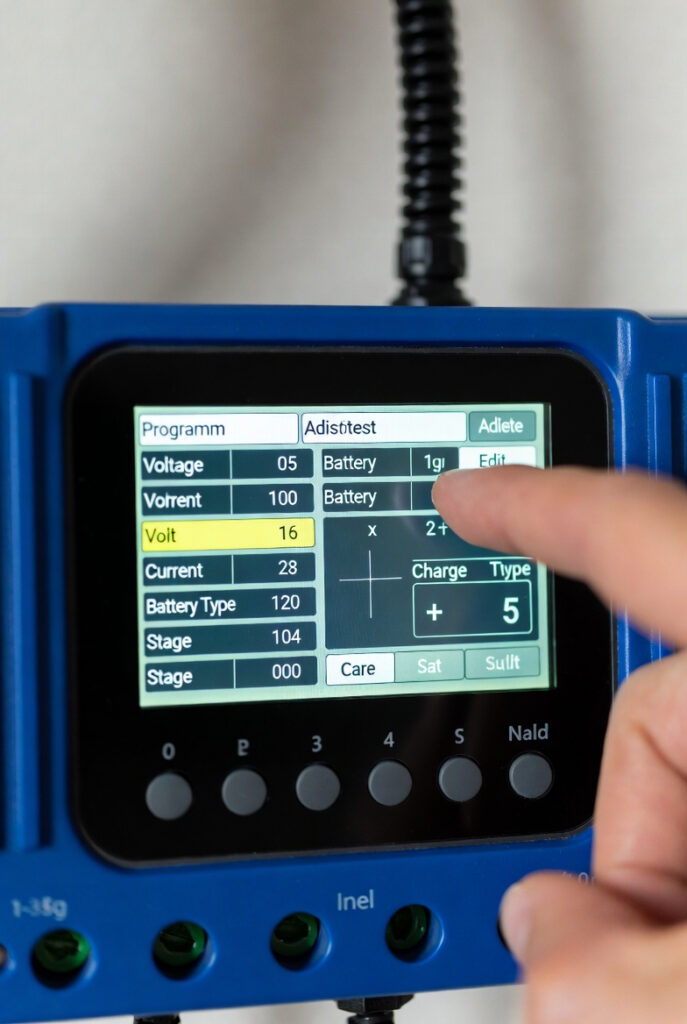
You just spent $1,000 on a LiFePO4 battery bank. Do not let your charge controller treat it like an old flooded lead-acid car battery. The settings that keep AGM batteries healthy will stress a LiFePO4 battery unnecessarily and the settings that destroy LiFePO4 cells are often enabled by default.
Think of it like engine timing. If your valve timing is off by a few degrees the car runs poorly and wears out the valves ahead of schedule. Programming your charge controller correctly is the tune-up that determines whether your battery delivers 10 years of service or 3.
Program Charge Controller for Lithium: The Lithium Profile Myth
Many controllers ship with a dedicated “Lithium” button or preset. Hit it and done right?
Not quite.
The problem with preset lithium profiles: Manufacturers build preset profiles to work acceptably with the widest range of lithium batteries on the market. Acceptable is not the same as optimal. A preset profile may set absorption voltage at 14.6V the maximum safe limit when your specific battery’s manufacturer recommends 14.4V for extended cycle life. The difference between 14.4V and 14.6V sounds trivial. Over 2,000 cycles it is not.
The better approach: Use the controller’s “User” or “Custom” profile and enter your specific battery manufacturer’s recommended settings directly. This takes 10 minutes with a Bluetooth-enabled controller and produces a charge profile precisely matched to your battery chemistry rather than generically acceptable.
The Victron SmartSolar MPPT 100/30 makes this straightforward the VictronConnect app lets you adjust every parameter from your phone with clear labels and real-time feedback. Pushing tiny buttons on a budget controller’s LCD screen to set charging voltages in 0.1V increments is one of the most frustrating experiences in off-grid solar. Bluetooth programming eliminates that entirely.
The Trinity: Three Settings That Determine Battery Lifespan
Setting 1 – Absorption Voltage
What it is: The target voltage the controller charges to during the bulk and absorption phases. This is the highest voltage your battery sees during normal operation.
For 12V LiFePO4: 14.2V–14.6V. Most manufacturers recommend 14.4V as the sweet spot fully charges the battery without stressing cells at the top of their voltage range.
Why higher is not better: LiFePO4 cells have a flat discharge curve voltage stays nearly constant from 20% to 80% state of charge. The voltage rises sharply in the final 10–15% of charging. Pushing to 14.6V gets the last few percent of capacity but stresses cells more than charging to 14.4V. For a system used daily the capacity difference is negligible. The cycle life difference over 5 years is real.
The timing analogy: Setting absorption voltage too high is like advancing ignition timing past the optimal point. The engine makes slightly more power and wears out the valves ahead of schedule.
Setting 2 – Float Voltage
What it is: The maintenance voltage the controller holds after absorption is complete.
For 12V LiFePO4: 13.5V–13.6V.
Why LiFePO4 still needs a float setting: You do not need float to keep a LiFePO4 battery charged the way you need it for lead-acid. But setting float to 13.5V keeps the BMS active and prevents the controller from going to sleep entirely. A controller with float disabled may power down completely after absorption leaving loads unprotected and the system unmonitored.
Practical setting: 13.5V for daily cycling systems. 13.4V for storage or infrequently used systems.
Setting 3 – Low Voltage Disconnect (LVD)
What it is: The voltage threshold at which the controller disconnects loads to prevent over-discharge.
For 12V LiFePO4: 11.0V-11.5V.
Why this matters more than people think: Most LiFePO4 batteries have a BMS that handles low voltage cutoff internally. But the BMS is the last line of defense the controller’s LVD is the first. Setting LVD at 11.5V disconnects loads before the BMS activates at 10.8V or lower. This preserves battery health and prevents the BMS from hard-cutting power to sensitive electronics without warning.
Absorption vs Float: The Lithium Difference
Lead-acid batteries need both absorption and float aggressively. LiFePO4 changes both requirements.
Absorption for LiFePO4: The absorption phase should be short typically 30 minutes per 100Ah of battery capacity. Extended absorption above 14.4V adds minimal additional charge while introducing unnecessary cell stress. The battery is essentially full when it reaches absorption voltage the remaining time allows cell balancing through the BMS.
The tail current signal: As the battery approaches full charge it naturally reduces the current it accepts. This declining current is called tail current. When charging current drops to approximately 2–5% of the battery’s rated Ah capacity the battery is essentially full. On a quality MPPT controller like Victron you can see this in VictronConnect the current curve flattening as absorption ends. This is the signal the battery is full and the controller should transition to float. Understanding tail current helps you verify your absorption time setting is appropriate for your specific battery.
Float for LiFePO4: Short and gentle. 13.5V holds the system active without stressing cells. Unlike lead-acid a LiFePO4 battery at 13.5V float is drawing almost no current the controller is essentially just maintaining system voltage for loads.
The No-Equalization Rule
This is the most important warning in this entire article.
Equalization mode will destroy a LiFePO4 battery.
Equalization is a high-voltage desulfation mode designed for flooded lead-acid batteries. It applies a deliberate overcharge typically 15.5V or higher on a 12V system to dissolve sulfate crystals on lead plates. It is legitimate and useful for flooded lead-acid. It has no application for LiFePO4 chemistry whatsoever.
At 15.5V a 12V LiFePO4 battery’s cells are experiencing severe overvoltage. The BMS will activate emergency disconnect. If equalization voltage is high enough and sustained long enough the cells suffer permanent capacity loss or complete failure.
The Amanda story: Amanda nearly triggered equalization mode on our LiFePO4 bank last January. She saw the word “equalize” on the controller menu and assumed it meant balance the cells properly which is exactly what it sounds like it should mean. It does not. Equalization is a lead-acid chemistry tool that has no place anywhere near a lithium battery. That one button would have destroyed a $1,200 battery bank in minutes.
What to do: In your controller’s custom profile set equalization to OFF or disabled. If your controller does not allow equalization to be disabled that controller is not suitable for LiFePO4 use and should be replaced. A close-enough charge profile is a battery killer. The Victron SmartSolar MPPT 100/30 allows complete equalization disable with one tap in VictronConnect.
The Ontario Cold Charging Reality
LiFePO4 batteries must not be charged below 0°C.
Charging lithium cells below freezing causes lithium plating on the anode a permanent degradation mechanism that reduces capacity and increases internal resistance. Most quality LiFePO4 batteries have low-temperature charge cutoff built into their BMS the BMS disconnects the charge circuit when battery temperature drops below 0–5°C.
The Rockwood garage reality: I spent an afternoon in the cold garage in Rockwood last December watching the controller show panel input but zero charging current going to the battery. The battery was at 4°C and the BMS had cut charging to protect the cells. That is the system working correctly but understanding why it was happening took some research before I stopped panicking.
The controller-level solution: If your battery does not have built-in low-temperature charge protection use a controller with an external battery temperature sensor. The Victron SmartSolar supports the optional Smart Battery Sense which monitors both temperature and voltage at the battery terminals and communicates wirelessly with the controller. In a Rockwood or Guelph garage that drops below 0°C in winter this is a meaningful safety feature.
Temperature compensation setting: Unlike lead-acid LiFePO4 does not require temperature compensation on charge voltage. Set temperature compensation to OFF or 0mV/°C in your controller profile.
The Reference Settings Table
| Setting | 12V System | 24V System | 48V System |
|---|---|---|---|
| Absorption Voltage | 14.4V | 28.8V | 57.6V |
| Float Voltage | 13.5V | 27.0V | 54.0V |
| Low Voltage Disconnect | 11.5V | 23.0V | 46.0V |
| Equalization | OFF | OFF | OFF |
| Temperature Compensation | OFF | OFF | OFF |
| Absorption Time | 30 min/100Ah | 30 min/100Ah | 30 min/100Ah |
Always verify against your specific battery manufacturer’s documentation. These settings represent safe conservative values for most quality LiFePO4 batteries. Some manufacturers specify slightly different absorption voltages — follow your manufacturer’s spec sheet when it differs from the table above.
Pro Tip: After programming your controller let the system run through one complete charge cycle bulk to absorption to float. Watch the current curve in VictronConnect or your controller’s app. You should see current climbing during bulk, leveling at absorption voltage, then declining as the battery approaches full charge (tail current), then dropping to near-zero as float takes over. If the current does not decline at absorption or float current stays surprisingly high your voltage settings may need adjustment or the battery BMS may be limiting charge for a temperature reason.
The Verdict
Programming your charge controller for lithium correctly is the single most impactful maintenance decision you make after installation. The wrong settings lead-acid absorption voltages, enabled equalization, no cold temperature protection stress cells every charge cycle and turn a 3,000-cycle battery into a 1,000-cycle battery.
Use a custom profile not a preset. Set absorption to 14.4V not the maximum. Disable equalization permanently. Set float to 13.5V to keep the BMS active. Add temperature protection if your battery lives in a cold Ontario garage.
Ten minutes of programming. Ten years of battery life.
Disclosure: This article contains affiliate links. If you buy through them, GridFree Guide earns a small commission at no extra cost to you.