
The alligator clip pre-charge method works. It also looks like a science project. Every time you reset your system you dig through a tool bag, find the resistor, attach two clips, count to ten, and hope you did not accidentally short anything. That is not a power plant that is a field repair that became a habit. Pre-charge button wiring is the 90-minute job that replaces the alligator clips permanently and makes your equipment room look like it was built by a professional rather than improvised by one. Before building the permanent circuit understand how much solar power you actually need the system voltage determines the pre-charge circuit specification.
Pre-Charge Button Wiring: The Component List
What the permanent circuit requires: The pre-charge button wiring circuit is simple five components and approximately 6 feet of wire. As covered in our Pre-Charge Resistor guide the physics is straightforward: a 33Ω resistor limits the capacitor inrush current to 1.45A while the capacitors charge over 10 seconds — then the main switch closes and the resistor is bypassed.
1. The resistor 33Ω 50W ceramic wirewound: The 33Ω 50W ceramic wirewound resistor is the correct specification for 48V systems. Available at electronics suppliers for $3-8. The ceramic body tolerates the 150-180°C surface temperature during the 10-second pre-charge event.
2. The pushbutton – momentary NO, DC rated, 5A minimum: A momentary normally-open pushbutton makes contact only while pressed and returns to open when released. Critical specification: the button must be rated for DC voltage not just AC voltage. AC-rated buttons have contact gap geometry designed for AC arc extinction. DC-rated buttons have wider contact gaps designed for DC arc quenching. For a 48V DC circuit the button must be DC rated at 48V or higher.
3. The wire – 12 AWG, THWN-2, tinned copper: The pre-charge circuit carries 1.45A maximum 14 AWG is adequate for the current. However 12 AWG provides margin for the transient inrush during the first millisecond of button press and is consistent with the wire gauge used for other control circuits in the system. As covered in our Tinned Copper guide tinned copper is the correct specification for any wire in an unconditioned Ontario equipment room.
4. The panel – flush-mount stainless or aluminum: A small panel 100mm × 100mm aluminum or stainless with a punched hole for the pushbutton. The panel mounts to the equipment room wall adjacent to the Blue Sea Systems HD 600A Disconnect. The panel provides the professional flush-mount appearance and the mounting surface for the label.
5. The metal backplate for the resistor – 3mm aluminum minimum: The 33Ω 50W resistor reaches 150-180°C during the pre-charge event. It must be mounted to a metal backplate that absorbs the thermal pulse and prevents heat transfer to adjacent materials. A 50mm × 100mm × 3mm aluminum plate bolted to the equipment room wall is the correct specification.
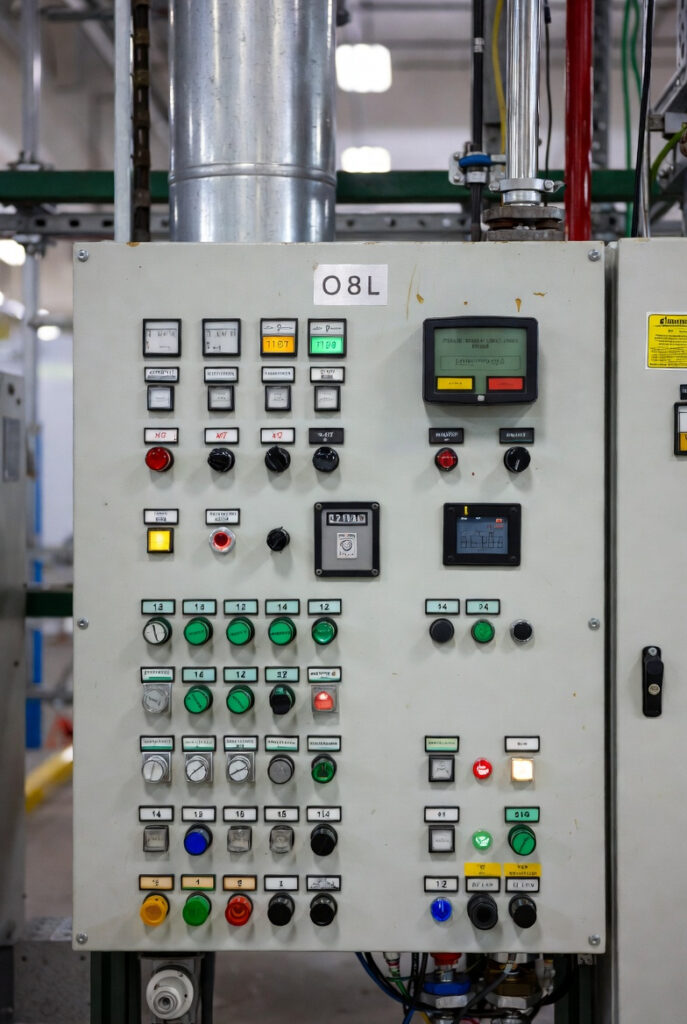
I was sourcing components for a Rockwood Fortress build last winter the client had asked specifically for a professional-looking equipment room. I found a flush-mount stainless momentary pushbutton with an IP67 rating waterproof, stainless bezel, black rubber actuator. Mounted in a small brushed aluminum panel next to the Blue Sea Systems HD 600A Disconnect it looked like a piece of industrial control gear. The client saw the panel before I explained what the button did. He said: what does that button do? I told him: that is the button that makes the startup silent. He said: perfect. That is the pre-charge button wiring standard for a Fortress build.
The Wiring Diagram Step by Step
The circuit topology: The pre-charge button wiring circuit runs in parallel with the main DC disconnect switch. The complete circuit path from battery positive to inverter positive:
Path 1 – Pre-charge path (button pressed): Battery positive terminal → Class T fuse → pre-charge resistor (33Ω 50W) → momentary NO pushbutton → inverter positive input
Path 2 – Normal operating path (main switch closed): Battery positive terminal → Class T fuse → main Blue Sea Systems HD 600A Disconnect → inverter positive input
Both paths share the same Class T fuse the pre-charge circuit is protected by the main system fuse. The pre-charge path carries only 1.45A far below the Class T fuse rating so no additional fusing of the pre-charge circuit is required.
The tap point: The pre-charge circuit taps from the positive busbar between the Class T fuse and the main disconnect on the inverter side of the main disconnect. The tap connects to the 33Ω 50W resistor input. The other end of the resistor connects to the momentary pushbutton. The other end of the pushbutton connects back to the inverter positive input the same point as the main disconnect output.
The negative connection: The pre-charge circuit does not require a separate negative connection the inverter negative is permanently connected through the Victron Lynx Power-In negative busbar regardless of main disconnect position. Current flows: battery positive → pre-charge path → inverter positive → inverter internal → inverter negative → Lynx negative busbar → battery negative.
The Complete Wiring Procedure
Step by step:
- De-energize the system completely main disconnect OPEN, battery terminals disconnected
- Determine the tap point identify the terminal on the inverter-side of the main disconnect that will serve as the pre-charge circuit tap
- Cut two lengths of 12 AWG tinned copper THWN-2 one for resistor-to-tap, one for pushbutton-to-inverter-positive
- Terminate both ends with appropriately sized tinned copper lugs hydraulic hex crimp as covered in our Battery Cable Crimping guide
- Connect the first wire from the tap point to one terminal of the 33Ω 50W resistor
- Connect the second wire from the other resistor terminal to one terminal of the momentary pushbutton
- Connect a short jumper wire from the other pushbutton terminal to the inverter positive input terminal
- Mount the resistor to the 3mm aluminum backplate secure with resistor mounting hardware
- Mount the pushbutton in the panel secure the panel to the equipment room wall adjacent to the main disconnect
- Apply the label: PRE-CHARGE 1. HOLD THIS BUTTON 10 SECONDS 2. RELEASE 3. CLOSE MAIN SWITCH
- Reconnect battery terminals verify all connections torqued to specification per our Busbar Torque Spec guide
- Test: press button for 10 seconds, close main switch, confirm silent energization no CRACK
I wired the permanent pre-charge button on a client build and at step 12 we did the first test energization together. The client had been living with the CRACK at every startup for 18 months. He stood back when I pressed the button he was expecting the sound. Ten seconds passed. I closed the main switch. Silence. He looked at the switch. Looked at me. Said: that’s it? That’s it. The Victron MultiPlus-II came up normally, VRM connected, Cerbo logged the startup. The science project was gone. The power plant was commissioned.
The Mounting and Labeling Standard
The pushbutton location: Mount the pushbutton panel directly adjacent to the main disconnect switch within 300mm. The operator should be able to press the pre-charge button with one hand and close the main disconnect with the other without moving their feet. The physical proximity communicates the operational sequence the pre-charge button is to the main disconnect what a key is to an ignition switch.
The resistor mounting: The resistor aluminum backplate mounts to the equipment room wall or battery enclosure exterior not inside an enclosed cabinet. The backplate must be accessible for visual inspection after each pre-charge event a resistor that fails mechanically should be visible. The 50mm clearance requirement in all directions from the resistor body to any plastic, wire loom, or combustible surface is non-negotiable.
The label standard: As covered in our Solar System Labeling guide the pre-charge button label is the operational procedure for everyone who will ever energize this system. Three-line format on Brother P-Touch TZe-S laminated tape:
- Line 1: PRE-CHARGE BUTTON
- Line 2: HOLD 10 SECONDS BEFORE CLOSING MAIN SWITCH
- Line 3: THEN CLOSE MAIN SWITCH SYSTEM ENERGIZED
The professional appearance standard: A flush-mount stainless pushbutton in a brushed aluminum panel with a laminated label is the Fortress standard. A surface-mount plastic button zip-tied to the battery enclosure with a handwritten paper label is the science project standard. The equipment room that looks like industrial control gear operates with confidence. As covered in our DC Disconnect Selection guide the main disconnect and the pre-charge button together form the complete energization interface both deserve the professional mounting standard.
NEC 110.12 and CEC Section 2 – The Code Framework
NEC 110.12: National Electrical Code Section 110.12 requires that electrical equipment be installed in a neat and workmanlike manner. A permanently installed pre-charge button wiring circuit properly mounted, labeled, and wired with listed components satisfies the NEC 110.12 workmanlike manner requirement. A loose alligator clip resistor in a tool bag does not.
CEC Section 2 – Canada: The Canadian Electrical Code Section 2 workmanlike manner equivalent requires that electrical installations be completed in a manner that ensures safety and maintainability. A labeled permanent pre-charge button wiring circuit accessible to any operator who reads the label, operable without tools, and visually confirmable in the correct sequence satisfies the CEC Section 2 standard.
Quick Reference – Pre-Charge Button Wiring Components
| Component | Specification | Notes |
|---|---|---|
| Resistor | 33Ω 50W ceramic wirewound | $3-8 at electronics supplier |
| Pushbutton | Momentary NO – DC rated – 5A minimum | Must be DC rated at 48V – not AC only |
| Wire | 12 AWG tinned copper THWN-2 | 6 feet maximum for pre-charge circuit |
| Panel | 100mm × 100mm aluminum or stainless | Flush mount – brushed finish preferred |
| Resistor backplate | 3mm aluminum – 50mm × 100mm minimum | Metal mount – 50mm clearance all sides |
| Label | Brother P-Touch TZe-S laminated | 3-line format – sequence on label |
| Location | Adjacent to main disconnect – within 300mm | One-hand reach from main switch |
Pro Tip: Test the pre-charge circuit before the system is loaded for the first time with the battery disconnected. Press the pushbutton and measure the voltage at the inverter positive input terminal with a multimeter. If the resistor and button are correctly wired you will see voltage building at the inverter positive terminal as you hold the button rising from 0V toward battery voltage over the 10-second pre-charge window. This voltage-rise test confirms continuity through the pre-charge path before you close the main switch for the first time. No surprises at first energization.
The Verdict
Pre-charge button wiring is the 90-minute installation that replaces the alligator clip science project permanently.
The complete shopping list:
- 33Ω 50W ceramic wirewound resistor
- Momentary NO pushbutton DC rated at 48V minimum 5A minimum contact rating
- 12 AWG tinned copper THWN-2 wire 6 feet
- 100mm × 100mm aluminum panel for flush mounting
- 3mm aluminum backplate for resistor mounting
Wire it. Mount it. Label it. Start your system silently. Every time.
Disclosure: This article contains affiliate links. If you buy through them, GridFree Guide earns a small commission at no extra cost to you.
Questions? Drop them below.
About the Author
Robert Bertrand spent 20 years as a service advisor in the automotive industry (Lexus and Nissan), where precision diagnostics, wiring integrity, and documentation standards were non-negotiable. He brings that same technical discipline to GridFree Guide, where he researches, tests, and documents off-grid solar systems for Ontario conditions. Based in Rockwood, Ontario, every article is built on verified specifications, manufacturer data, and the real-world climate constraints of Canadian off-grid living.
As an Amazon Associate I earn from qualifying purchases. This site also contains affiliate links to other products and services. GridFree Guide earns a small commission at no extra cost to you.