
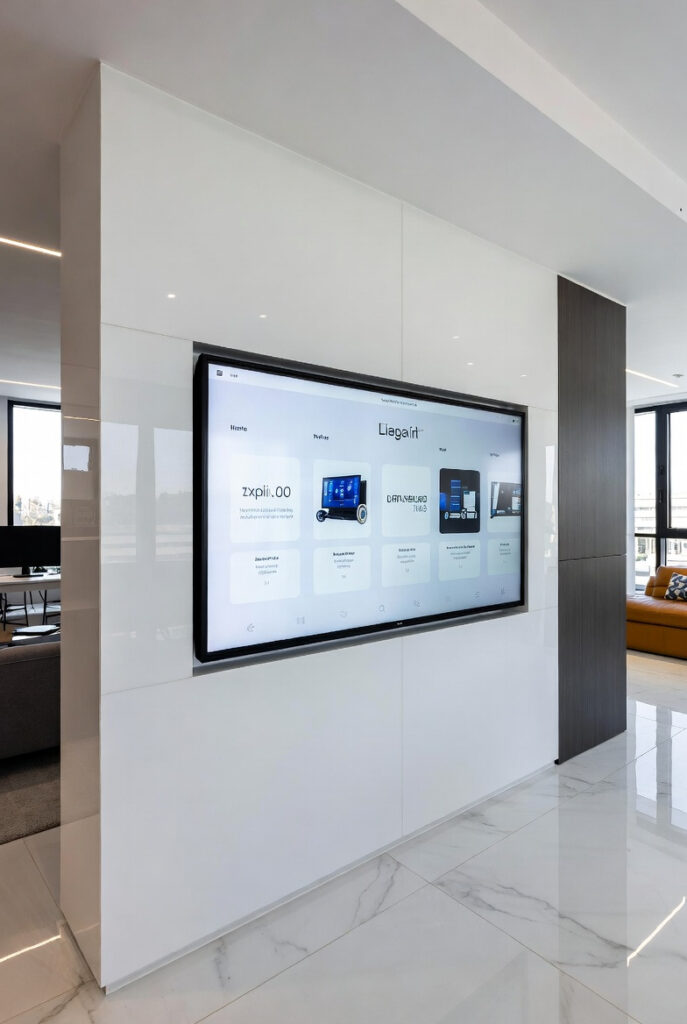
You have invested $15,000 in a Victron off-grid system. You are standing at the kitchen sink with wet hands. You are coming in from the barn at -15°C with gloves on. The victron gx touch 50 vs 70 question is really this do you want your system data on your wall where you can see it from across the room, or buried in a phone app you have to unlock with wet fingers? Before choosing a display make sure you understand your Victron Cerbo GX the GX Touch is a display for the Cerbo, not a standalone device.
A client in Rockwood was hesitant about the $250 cost for a GX Touch 50. He had the Cerbo GX already and was managing everything from his phone. I asked him how many times a day he checked the system with wet hands or gloves on. He said six to eight times. I told him to put the screen on the kitchen wall next to the window. One tap with a knuckle. Battery at 73%. Well pump running normally. He ordered it that afternoon.
Victron GX Touch 50 vs 70: What These Screens Actually Are
What the GX Touch is and is not: The GX Touch is a display accessory for the Cerbo GX it shows the data the Cerbo GX collects but does not collect data itself. Without a Cerbo GX the GX Touch is a blank screen. With a Cerbo GX it becomes the local dashboard for your entire system battery SoC, solar input, inverter load, temperatures, tank levels all on one screen on your wall.
What it shows: The GX Touch displays a live system overview energy flow diagram showing solar panels producing, battery charging or discharging, and AC loads consuming in real time. Tap any element to drill into detail. Tap the battery and see voltage, current, temperature, time remaining. Tap the solar to see MPPT output by string.
The relationship to VRM: The GX Touch is the local dashboard. The VRM portal covered in our VRM Portal guide is the remote dashboard. They show the same data. VRM is for when you are away from the system. The GX Touch is for when you are living with it.
The Single-Cable Installation – The Easiest Pro Install in the Industry
What one cable means: The GX Touch connects to the Cerbo GX via a single proprietary cable that carries both power and data HDMI signal and USB power combined in one sleeve. You run one cable from the Cerbo GX to wherever you want the screen. That is the entire installation.
What you do NOT need to do: No cutting a large square hole in your drywall. No running separate power wires to the screen location. No conduit full of multiple cables. No electrician required. The screen mounts to any flat surface with four screws. One cable through the wall. Four screws. Done.
The installation sequence:
- Decide where you want the screen, kitchen wall, equipment room, living area
- Drill a single hole for the cable
- Run the cable from the Cerbo GX to the screen location
- Mount the screen bracket with four screws
- Plug in the cable screen powers on automatically no software configuration required
The flush mount option: Both the Touch 50 and Touch 70 are available in flush mount versions the screen sits flush with the wall surface like a light switch. The flush mount requires a rectangular cutout but produces a result that looks completely integrated into the wall. For a Rockwood cabin build or a finished equipment room the flush mount is the professional finish.
Victron GX Touch 50 vs 70: The Size Comparison
The Touch 50 – 5-inch screen: The Victron GX Touch 50 is a 5-inch diagonal waterproof touchscreen approximately the size of a large smartphone screen. Fits in tight spaces camper vans, small equipment rooms, compact cabin installations. Cost approximately $200-250.
Best for:
- Small to medium off-grid systems, one MPPT, one battery bank
- Tight installation spaces where a larger screen would not fit
- Budget-conscious Victron builds where the 50 covers everything needed
- Camper van and RV installations where space is premium
The Touch 70 – 7-inch screen: The Victron GX Touch 70 is a 7-inch diagonal waterproof touchscreen approximately the size of a small tablet. Noticeably larger data display more information visible simultaneously without tapping to drill down. Cost approximately $300-325. Available through authorized Victron dealers.
Best for:
- Complex systems with multiple MPPTs, tank sensors, multiple battery banks
- Full-time off-grid primary residences where the screen is checked constantly
- Older eyes that benefit from larger text and more visible data at a glance
- Main living area installations where the screen is seen from across the room
The HUD analogy: Think of the Touch 70 like the Heads-Up Display in a modern luxury truck. Critical data speed, fuel level, navigation appears at eye level where your vision is already focused. You do not look down. You do not squint. A Touch 70 on the kitchen wall of a full-time off-grid cabin does exactly this battery SoC and solar production visible at a glance from the breakfast table.
The Cold Climate Screen Reality – The Ontario Warning
This is the cold climate detail completely absent from every victron gx touch 50 vs 70 guide.
What cold does to touchscreens: Capacitive touchscreens the technology used in the GX Touch rely on detecting the electrical charge from your finger. At temperatures below -10°C the liquid crystal layer becomes sluggish response time slows and image refresh rate drops. At temperatures below -20°C some LCD screens may show dark patches or temporary image loss until the screen warms up.
The Ontario installation rule: Mount your GX Touch in the heated living area not in the unheated equipment shed or battery room. The screen is not designed for continuous operation at -20°C. In a properly heated cabin the GX Touch operates perfectly year-round. The Cerbo GX brain can live in the equipment room. The screen belongs where you live.
The practical benefit: Mounting the screen in the kitchen or living area also makes it genuinely useful you can see a low battery warning from across the room without picking up your phone. A screen hidden in a cold equipment shed that you only check when you notice something is wrong is not a dashboard. It is an afterthought.
What the GX Touch Shows That Your Phone App Does Not
Always-on visibility: Your phone goes dark. It requires unlocking. It requires navigating to VRM or VictronConnect. The GX Touch is always on always showing current system status always visible from across the room.
The across-the-room low battery warning: If your battery SoC drops to 15% at 2am the GX Touch is showing that number in large text on your kitchen wall. You can see it when you walk to the bathroom. You do not need to check your phone. You do not need an audible alarm to wake you up.
The wet hands reality: Coming in from the barn at -15°C with gloves still on you cannot unlock your phone. Standing at the kitchen sink with wet hands you should not unlock your phone. A wall-mounted GX Touch accepts a gloved knuckle tap or a wet finger tap because it is waterproof and designed for exactly these conditions.
If you are living off-grid full-time: The GX Touch is not a luxury. It is the primary interface between you and your survival infrastructure. Do not hide your system data in a phone app. Put it on the wall where a Low Battery warning is visible from across the room at 2am.
The Pride of Ownership Factor
What the GX Touch says about your build: You have invested $10,000-20,000 in a Victron ecosystem MultiPlus, SmartSolar, SmartShunt, Cerbo GX, LiFePO4 battery bank. A $250 screen on the wall is the trophy that tells everyone who walks into that cabin this is a professional-grade installation not a collection of components wired together with hope.
The custom shop builder perspective: Every professional custom car build has a gauge cluster that matches the quality of the drivetrain. You would not install a $10,000 engine and leave a broken factory gauge cluster on the dash. The GX Touch is the gauge cluster your Victron system deserves clean, professional, always-on, waterproof, and exactly as good as everything else in the system.
The Quick Decision Guide
| GX Touch 50 | GX Touch 70 | |
|---|---|---|
| Screen size | 5 inch | 7 inch |
| Cost | ~$200-250 | ~$300-325 |
| Best for | Small-medium systems, tight spaces | Complex systems, full-time living |
| Visibility across room | Adequate | Excellent |
| Flush mount available | Yes | Yes |
| Data shown | Same as Touch 70 | Same as Touch 50 |
| Recommended for Ontario cabin | ✅ | ✅✅ |
The one-sentence verdict: Part-time off-grid or simple system Touch 50. Full-time off-grid or complex system with multiple data sources Touch 70. If you cannot decide Touch 70. You will not regret the extra screen real estate.
Pro Tip: Mount the GX Touch at counter height approximately 90-100cm from the floor not at eye level when standing. Counter height means the screen is visible when you are sitting at the kitchen table, visible when standing at the counter, and at natural glance level when moving through the room. Eye level when standing 160-170cm puts the screen too high for seated viewing and too high for children and shorter household members to interact with comfortably. Counter height is the professional standard for residential off-grid dashboard installations.
The Verdict
The victron gx touch 50 vs 70 decision comes down to one question how much of your life depends on that data being immediately visible?
Part-time cabin use: Touch 50 is enough. Full-time off-grid primary residence: Touch 70 is the right investment.
Either way mount it on the kitchen wall in the heated living area. Run the cable. Screw in the bracket. That screen is the last piece that turns a collection of Victron components into a system that looks and feels like it was built by someone who knew exactly what they were doing.
That is the point.
Disclosure: This article contains affiliate links. If you buy through them, GridFree Guide earns a small commission at no extra cost to you.
Questions? Drop them below.
About the Author
Robert Bertrand spent 20 years as a service advisor in the automotive industry (Lexus and Nissan), where precision diagnostics, wiring integrity, and documentation standards were non-negotiable. He brings that same technical discipline to GridFree Guide, where he researches, tests, and documents off-grid solar systems for Ontario conditions. Based in Rockwood, Ontario, every article is built on verified specifications, manufacturer data, and the real-world climate constraints of Canadian off-grid living.
As an Amazon Associate I earn from qualifying purchases. This site also contains affiliate links to other products and services. GridFree Guide earns a small commission at no extra cost to you.